All restaurants, all couriers, one panel.
Run your regional branches, restaurant agreements and courier pay in the same system.

In short
kuryenoktam gives courier companies an operations panel that collects orders from many restaurants in one queue, assigns couriers automatically and keeps the receivables with each restaurant. Restaurants see only their own orders in their portal.
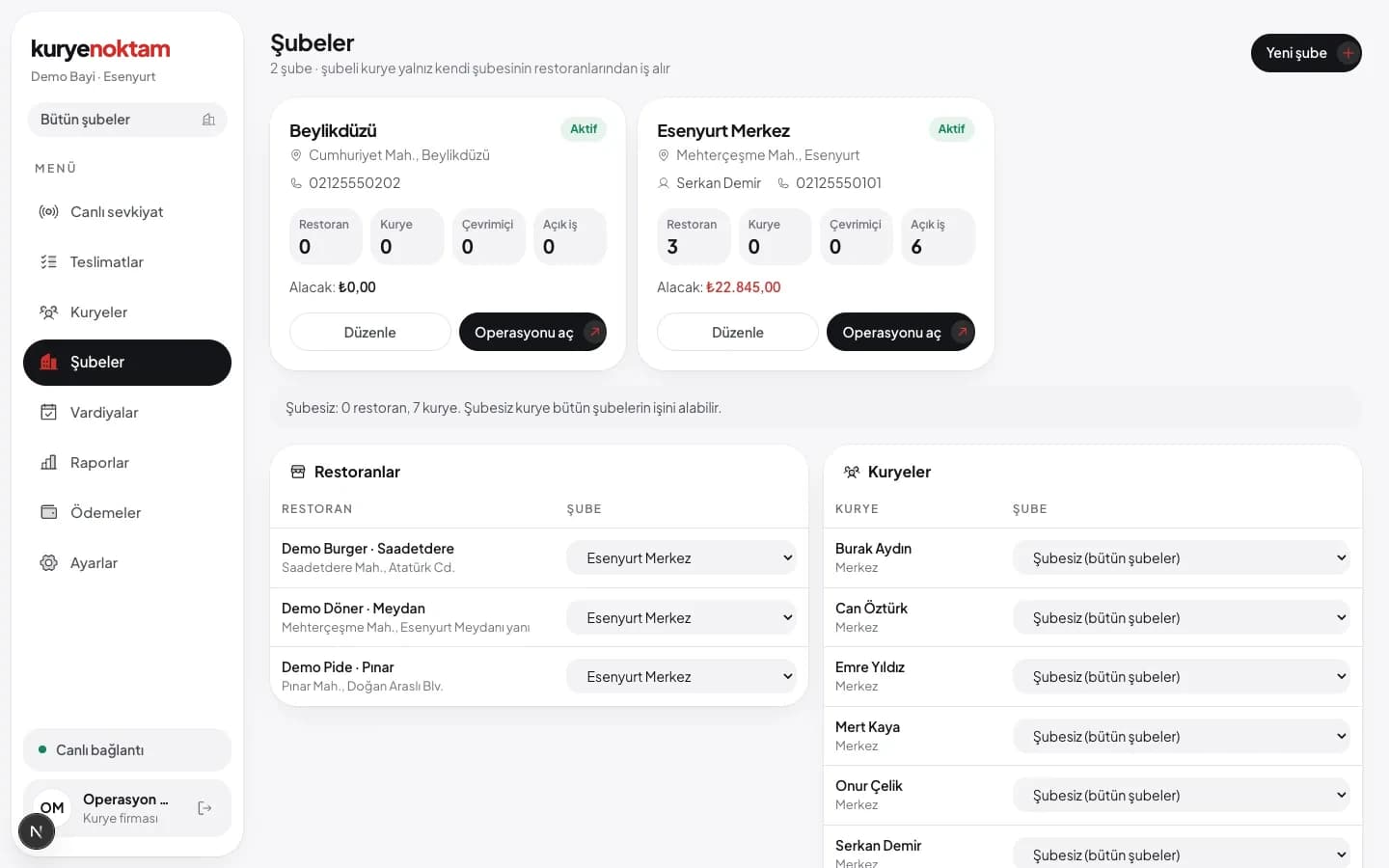
Grow with regional branches.
Open each region as a branch. Dispatchers see only their branch, head office sees everything. The branch filter works on every screen.
- Restaurants and couriers linked to a branch
- Reports per branch
- Watch all branches from head office
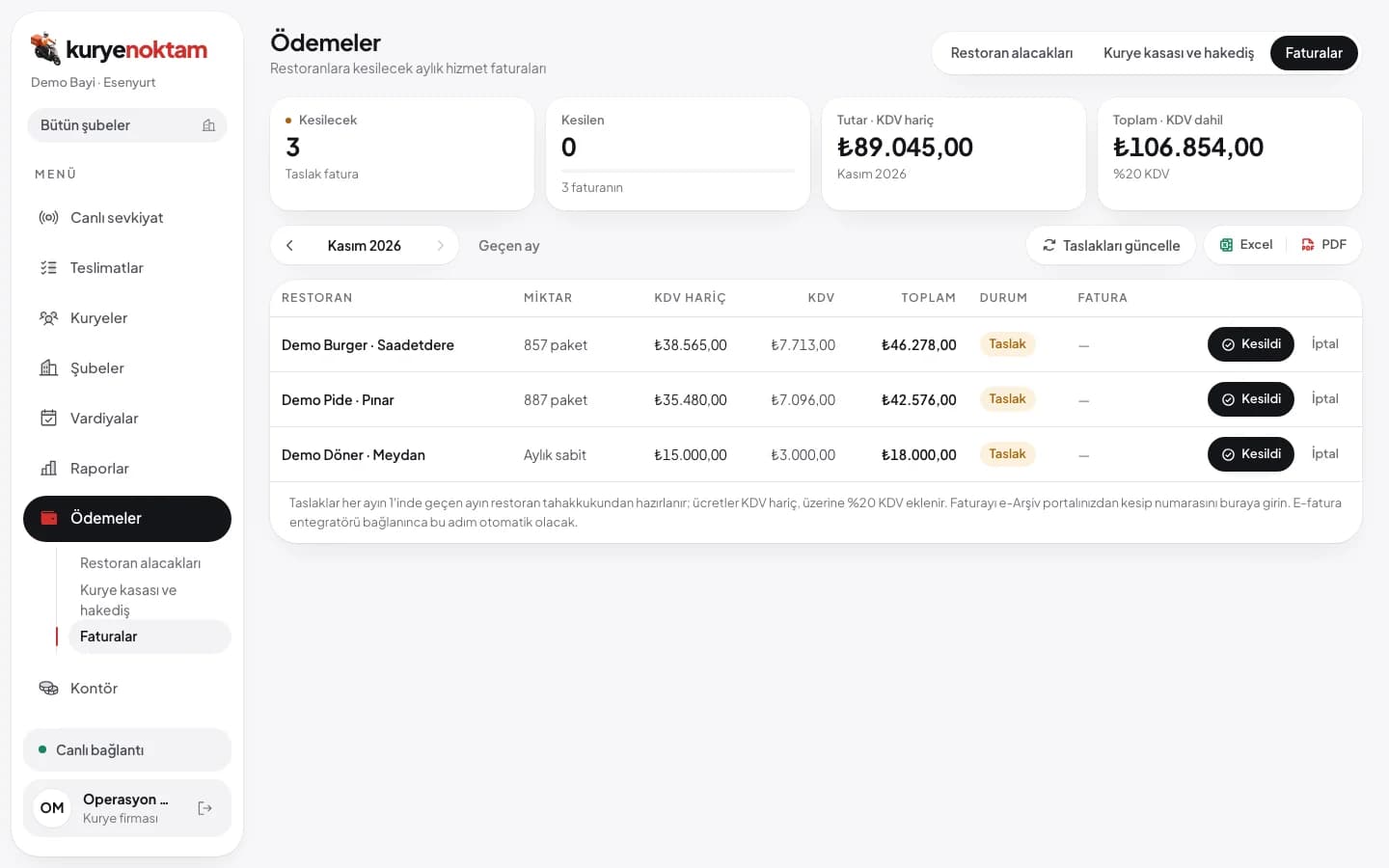
Restaurant receivables, calculated for you.
Choose the fee type for each restaurant: fixed monthly, per order or free. Accruals, payments and balance live on the Payments screen, and the restaurant sees the same numbers in its portal.
- Invoice drafts from last month's accruals on the 1st
- Enter the number of the e-invoice you issued
- Monthly statement email to every restaurant
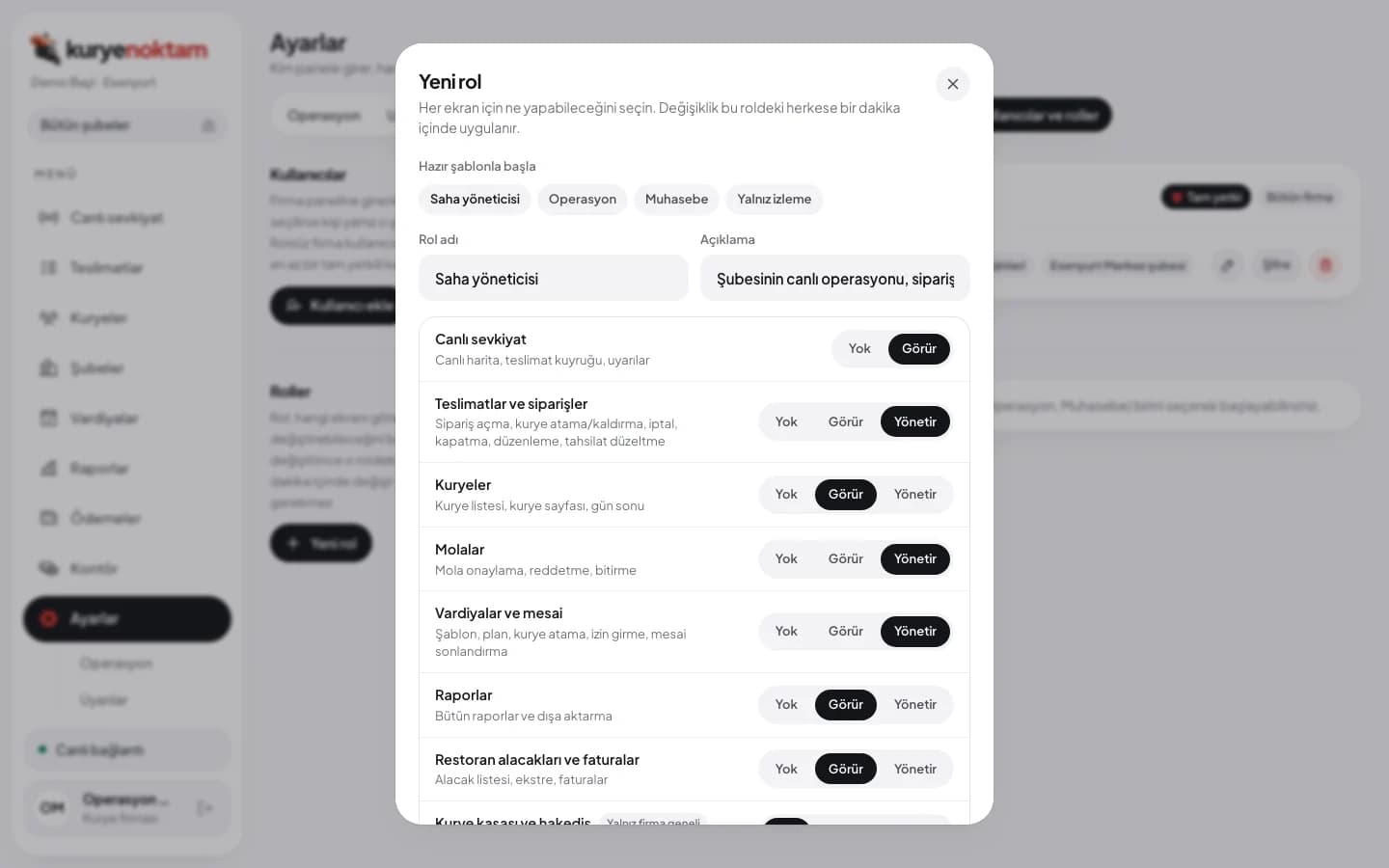
You decide who sees which screen.
The company owner defines roles: None, View or Manage for each screen. Users get a role and a scope; a branch manager sees only their branch, and screens without permission never open for them.
- Ready role templates: dispatcher, accounting, branch manager
- Company-wide or single-branch scope
- Users and roles managed by the owner only
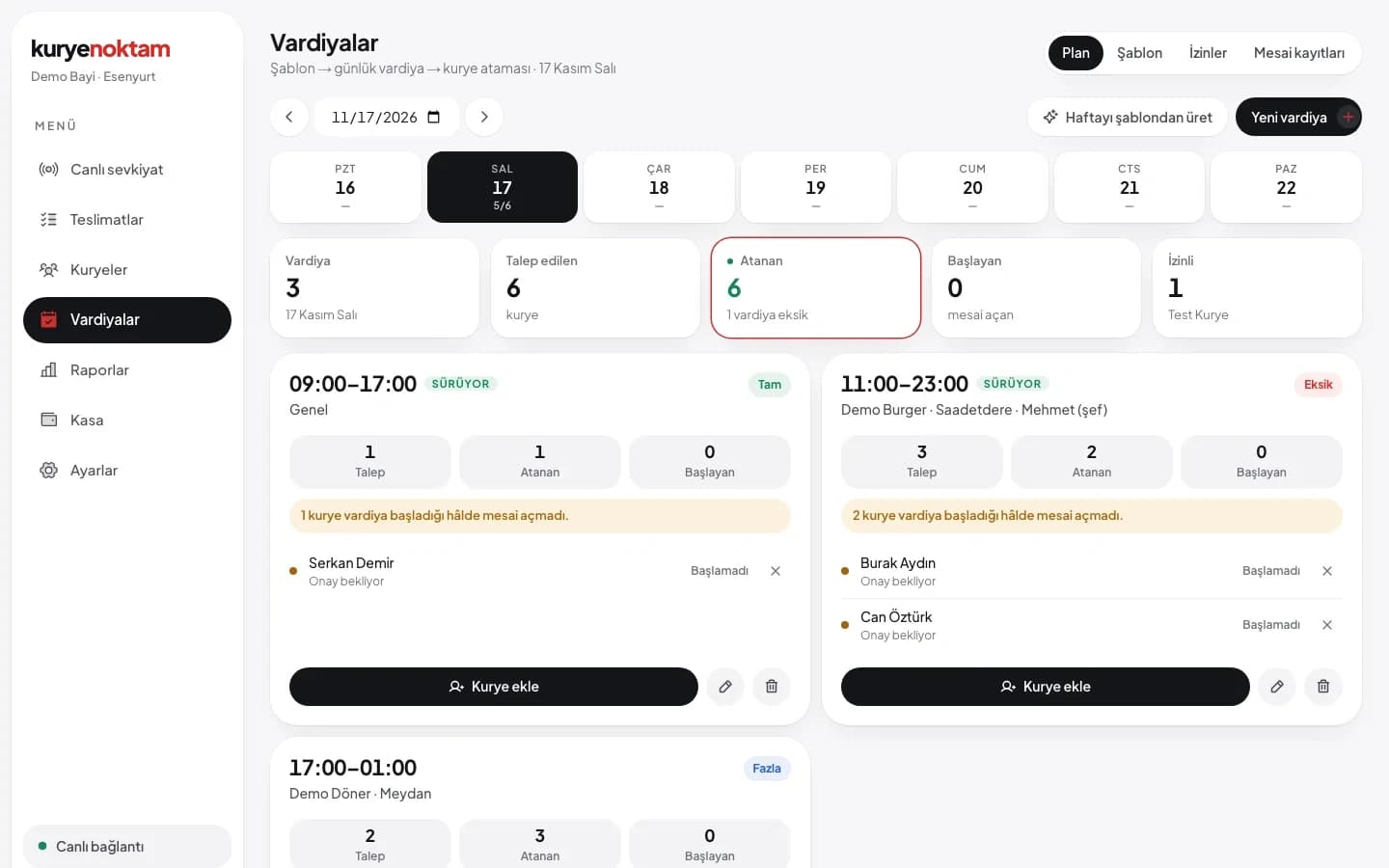
What keeps the fleet running

Shift plan
Daily shifts from a weekly template, courier assignment and confirmation.

Working-hour rules
Planned-shift requirement, start only near the restaurant, dispatcher can end a shift.

Courier personnel file
Couriers upload ID, proof of address and criminal record from the app and sign the employment contract on screen. You approve and download the file as a ZIP. Couriers are reminded before a document expires.

Pay, bonuses and deductions
From per-order and per-km fees, based on the approved daily report. Add bonuses and deductions, record payouts on the courier page.

Handover code
A courier hands an order to another with a code, on record.

Break approval
Couriers request a break, dispatchers approve; no offers during a break.
Work that runs itself
The system does the checks a dispatcher would otherwise have to remember.
Operations watch
Late orders, orders stuck in the pool, couriers waiting too long at a restaurant or with no signal, overdue breaks, failed POS webhooks. You set the thresholds.
Cash limit
Dispatchers are alerted when a courier holds more cash than your limit.
Automatic sign-off
Couriers whose app goes silent are set offline; shifts left open after they end are closed.

Daily and weekly digest
Yesterday's summary every morning, courier pay and performance every Monday, by email.
Planning alerts
Unapproved daily report, a silent POS connection, a shift suggestion for tomorrow.

New device alert
Users get an email when someone signs in to the panel from an unknown device.
Reports in your company's language
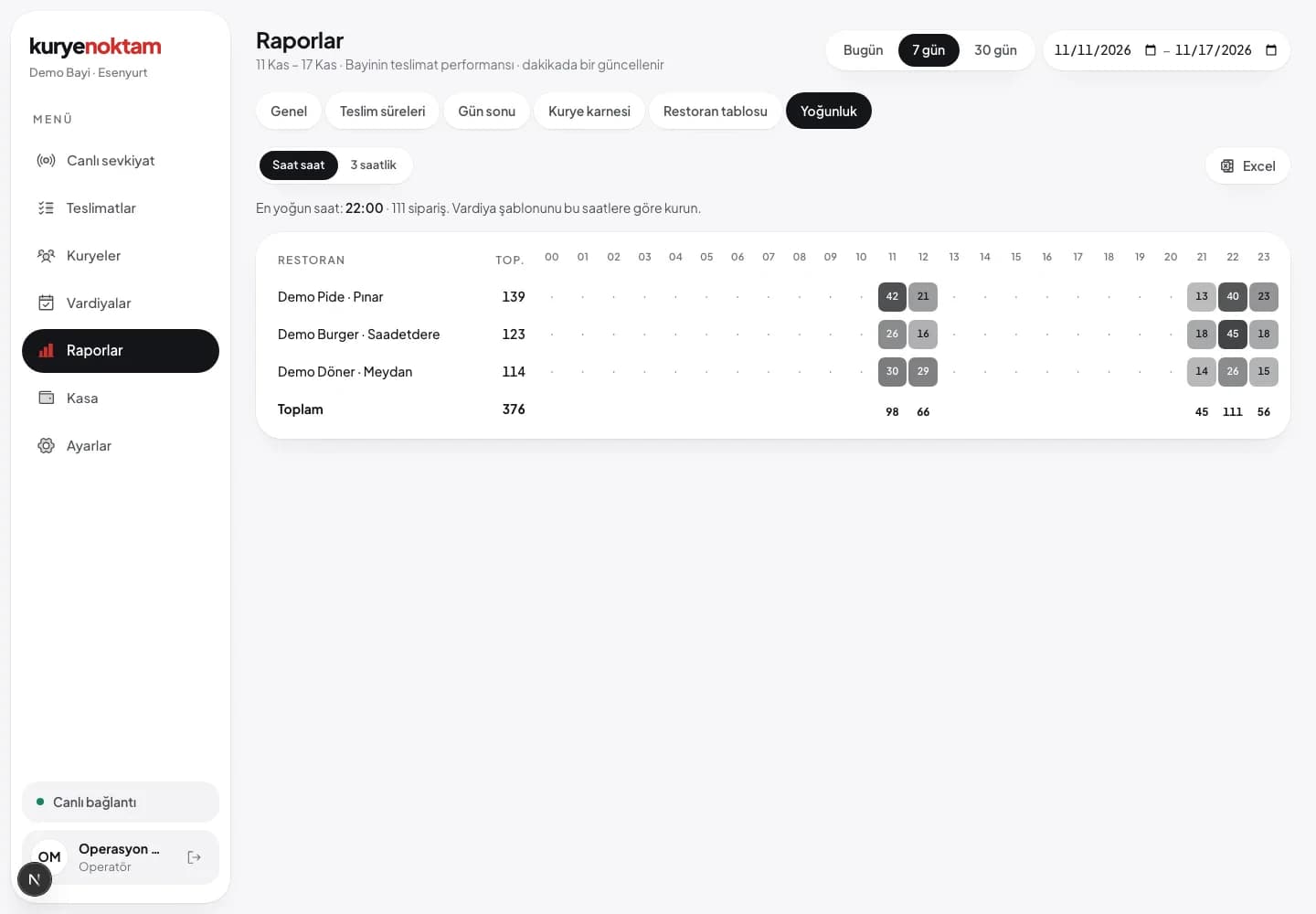
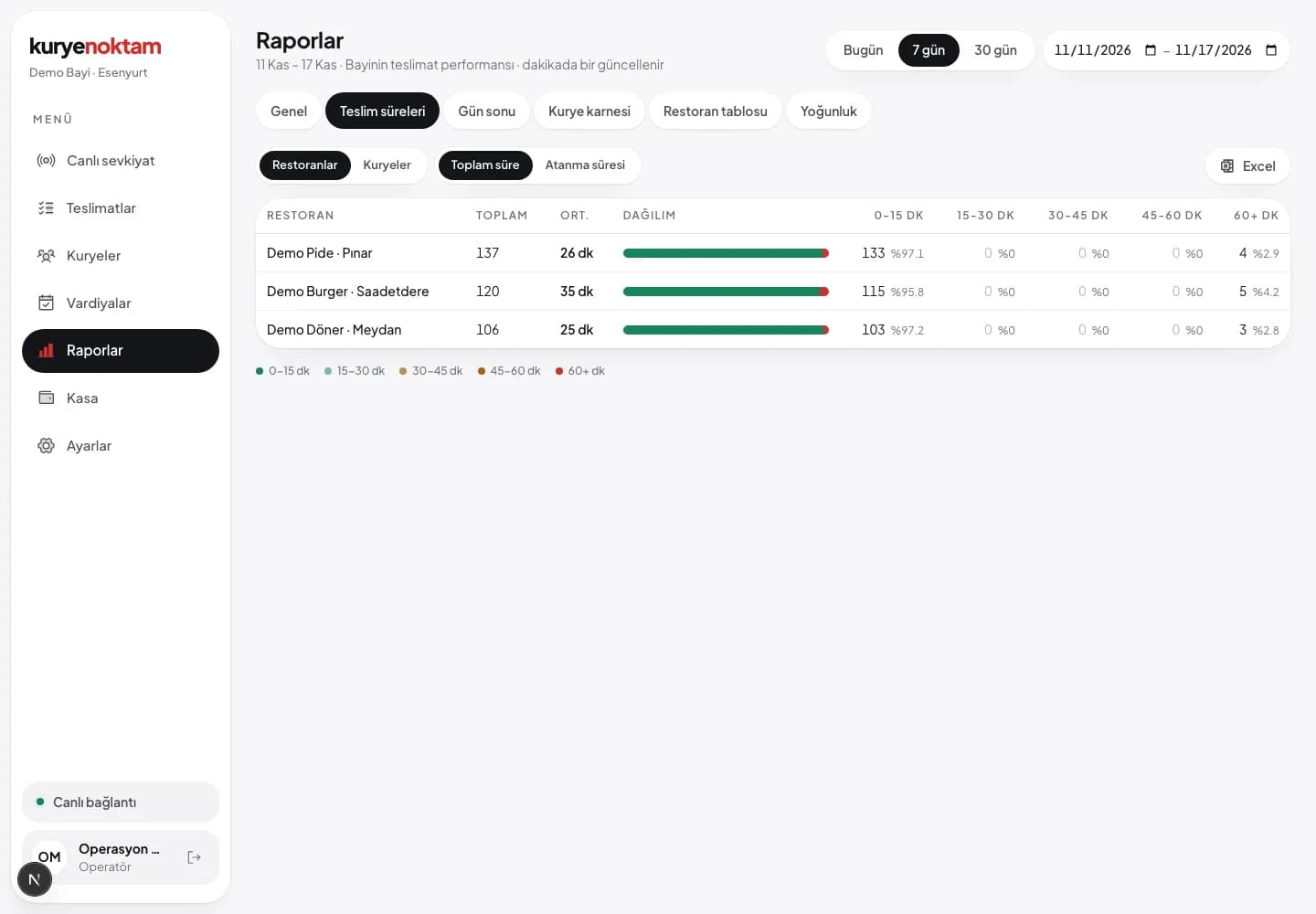
Daily report correction and approval, courier scorecard, restaurant matrix, peak hours. Every report downloads as Excel with charts or as PDF.
Try it with your own fleet.
Let's set up your restaurants, couriers and order flow together. See the real screens in a demo account.